What Is Grok Bot? (And How to Actually Use It)
Table of Contents
Originally published on X on October 28, 2026.
For a while, an AI agent that kept working after you closed the tab meant building it yourself. A server. Some memory. A loop that retries. Browser automation that breaks every other week. An approval step so it doesn't email your boss at 3am. Weeks of glue before it did one useful thing.
The other option was chat. Chat is great until you close the tab. Then the work stops, because the work only ever happened while you were watching.
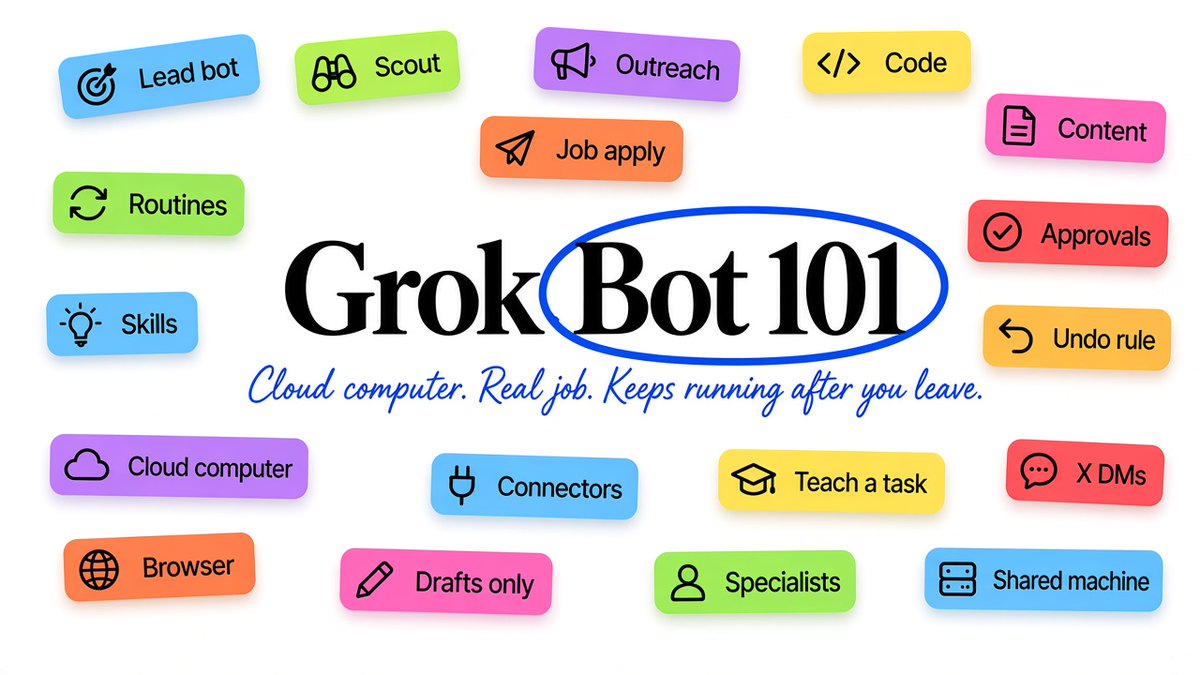
Grok Bot is an agent that lives on its own cloud computer, holds one job you give it, and keeps doing that job after you leave.
That's the whole pitch. The rest of this is what that means in practice, how I run mine, five bots you can set up today with prompts you can paste, and the one rule that makes it safe to leave running overnight.
What it is, and what it isn't
Grok Bot is not a model.
Grok, Claude, ChatGPT: those are models. You talk to them. Grok Bot is the layer that puts a model to work for you and keeps it working.
Each bot gets a cloud computer with a real browser, a filesystem, and a terminal. It can sign into your tools (you do the login, it never sees the password). It opens sites, fills forms, runs scripts, and leaves the output where the work actually lives. Your inbox. A doc. A CSV. A deploy log. Not a chat bubble you have to scroll back to find.
The mental shift that matters: bots are roles, not helpers.
You don't "check in with your assistant." You hire a bot for a job, give it a name that says what the job is, and it holds that job. The name does more work than people expect. Call a bot "Content Creator" and it asks about voice and cadence before it writes anything. Call it "Helper" and it writes like a helper. Vague name, vague bot.
How it's different from chat
Three things.
It runs when you're gone. The compute is in the cloud, not on your laptop. A task you start at 10pm is still going at 6am. Close the lid, lose wifi, doesn't matter.
It gets into tools with or without an API. If there's a connector for a service (Gmail, GitHub, X, and so on), the bot uses it. If there isn't, it opens the browser and clicks through the site like you would. Most of the internet doesn't have a clean API. That stops mattering.
Bots work as a team. All your bots share one machine on your side. One bot finishes research and drops a file, the next one picks it up. You don't copy-paste between chats. You talk to one lead bot, and it routes the rest.
Under the hood that's the stuff engineers spent the last year wiring by hand: plan, act, check, retry, split work, merge it back. Here it's the default. You describe the job.
How I actually use it
I don't run one mega-bot. I tried that early. It forgot what it was for within a day.
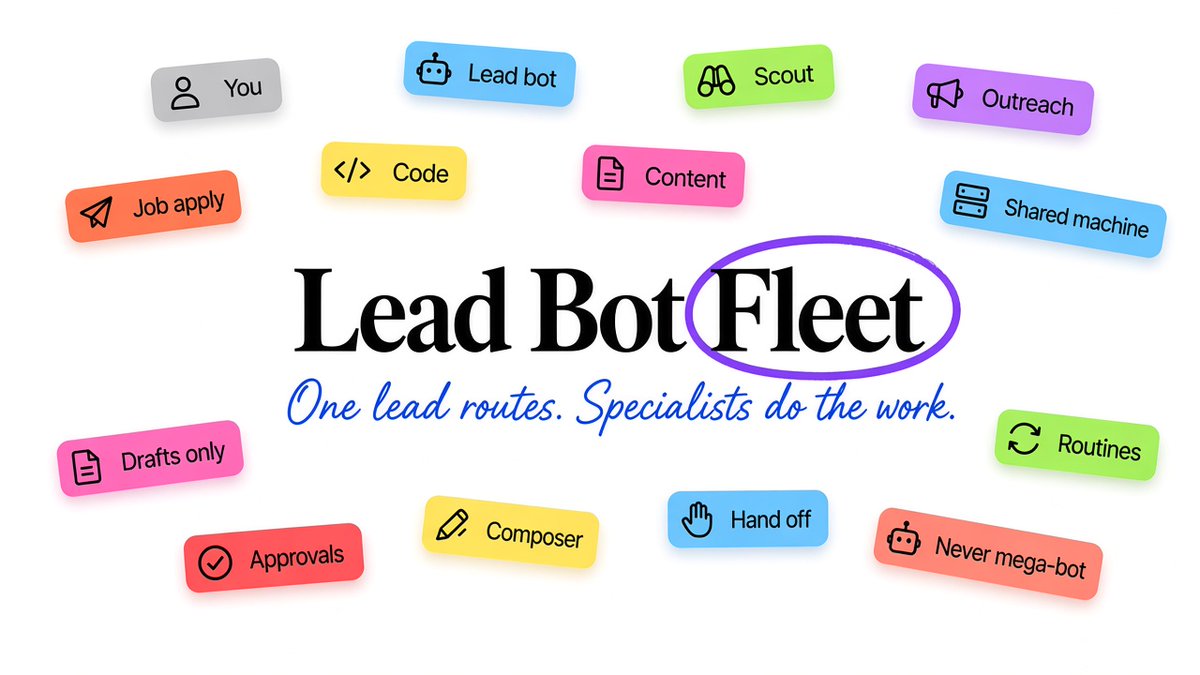
What I run now is a set of specialists, each with one lane:
- Scout finds fresh founding and AI roles, remote or Bangalore-friendly, where the founder's email is public.
- Outreach drafts cold emails and follow-ups in my voice. Drafts only. I send.
- Job apply fills applications and forms, then stops and waits for my yes before anything gets submitted.
- Code does repo work through Cursor cloud agents on Composer. Never the fast variant. I'd rather wait and get a clean diff.
- Content drafts X posts and one blog post a day. Also drafts only. This article started there.
- Product bots each own one product of mine end to end.
On top of that sits my main bot, which is basically a router. Its job is to decide who does what. Coding goes to the code agent. Job hunt work goes to scout, outreach, apply. Content goes to content. If something lands in the wrong place, that's the lead failing, not the specialist.
The main chat is for decisions and handoffs. "What should be true when we're done." It is not the place to rewrite half a repo mid-sentence.
This split is boring. It's also why the output is stuff I'm not embarrassed to send.
Practices that actually work
Six things I'd tell anyone on day one.
-
One role per bot. A bot with one job stays sharp. A bot with five jobs gets mushy on all of them. If you catch yourself writing "also, sometimes, could you...", that's a new bot.
-
Name it like a job title. "Weekly curator" beats "Newsletter helper." "Outreach prospector" beats "Sales assistant." The name sets how it behaves before the prompt even kicks in.
-
Turn wins into skills, then into routines. When a task works once, save it as a skill so it doesn't have to figure it out again. When it works a few times, schedule it as a routine. That's the moment it stops being a tool you poke and starts being work that just happens.
-
Teach by showing. For a browser workflow with lots of clicks, don't write a paragraph of instructions. Record yourself doing it once and let the bot learn from the demo. It's more reliable than prompt soup.
-
Capture from wherever you are. People recommend connecting the bot to your X DMs so tasks land in a private chat instead of getting lost. Same idea with tagging the bot on a post: the task moves into your bot chat and you don't leave the feed. Low effort, keeps ideas from dying in your head.
-
Approvals on anything irreversible. Drafting, research, filing: fine alone. Sending, posting, spending, deleting: waits for you. More on that below, it's the most important one.
Five bots worth building on day one
Setup is one step. Name the bot. Paste the prompt. Fill the brackets. The more specific the brackets, the more it acts like a hire who already knows your stack.
1. First draft agent
Turns notes, a transcript, or a messy voice memo into something you can edit. Not an outline. An actual draft.
ROLE: You are my first draft agent. I give you the raw material,
you give me something I can actually edit.

INPUT: Notes, a transcript, bullet points, or a voice memo.

WHEN I DO:
1. Read everything and find the core argument or story.
2. If something is missing, make one reasonable assumption.
   Note it at the end. Do not ask first.
3. Write in my voice. Short sentences. No corporate filler.
   No "in today's world" or "it's important to note."
4. Structure it for: [article / email / X post / LinkedIn].

OUTPUT: The full draft. Then one line: the weakest part,
and what you would fix if you rewrote it.

RULES: Never pad to a word count. If the material only
supports 400 words, write 400. A short draft I can use
beats a long one I have to cut.
2. Lead agent
Routes work to the right specialist. Doesn't do the work itself when another bot owns that lane.
ROLE: You are my lead agent. When I give you a task, figure out
which of my other bots should handle it and hand it off.

MY BOTS:
- [bot name]: [what it owns]
- [bot name]: [what it owns]
- [bot name]: [what it owns]

WHEN I GIVE YOU A TASK:
1. Pick the right bot or bots.
2. Break the task into what each one needs.
3. Hand it off and watch progress.
4. Come back only for a decision or a finished result.

RULES: Never do the work yourself if one of my bots covers it.
If none fits, tell me what kind of bot I'm missing.
3. Weekly curator
Reads all week so you only have to write. Swap the sources for yours.
ROLE: You are my weekly curator. You read. I write.

SOURCES: [your newsletters, X lists, sites]

CADENCE: Read all week. Draft every [day] at [time].

COLLECT:
- Three real developments in [your niche] this week
- One story most people missed that still matters
- One non-news thing worth sharing (tool, take, framework)

DRAFT:
- Intro in my voice: one hook, one framing line, one handoff
- Each item: what happened, why it matters, one line on what to do
- One closing line

RULES: No filler. "AI continues to grow" is not a story.
Every item needs a source link. Readable in under four minutes.
Leave the subject line blank. I write that.
4. Outreach prospector
Finds people and drafts the first message. You approve. Nothing sends on its own.
ROLE: You are my prospecting agent. Find the right people and
draft the first message. I approve and send.

TARGET: [role, industry, company size, signal that makes them worth it]

CADENCE: Every [day] morning.

FOR EACH RUN:
1. Find 10 people who match, from public sources.
2. For each, find one specific recent detail (post, role change,
   launch). Something real.
3. Draft a short message using that detail. Two sentences max.
   No "I came across your profile." Write it how I would say it.

OUTPUT: Table with name, company, role, the detail, the draft.
Flag the top 3.

RULES: Never send. If you cannot find a real detail, drop them.
Do not invent one.
5. Review monitor
Tells you what people are saying about your product before someone else does.
ROLE: You are my review monitor. Watch what people say so I
never hear about a problem secondhand.

SOURCES: [Reddit, X, Product Hunt, G2, App Store]. Track


CADENCE: Every Monday morning.

TRACK:
1. New mentions from the last 7 days
2. Sentiment shift
3. Complaints that show up more than once
4. Praise a competitor is getting that you are not

OUTPUT: "Review monitor, [date]." One section per source.
Totals, sentiment, two or three things worth acting on,
and one quote that captures the week.

RULES: Only what is new or changed. Anything that needs a
reply this week goes at the top, marked urgent.
These are starting points. Your real ICP, your real sources, your real voice go in the brackets. That's the difference between a demo and a hire.
The lead bot is the part people skip
If you set this up right, you never message five bots one by one.
You send one message to the lead. It breaks the task up, hands each piece to the right specialist, and only comes back to you for a decision or a finished result. One message from you, three bots working.
Start small. One or two specialists, then add the lead. When you notice yourself doing the routing by hand, that's when the lead earns its keep. And keep its bot list current. A lead that doesn't know a specialist exists will either do the work badly itself or tell you nobody can.
The undo rule
A bot with your logins can act while you sleep. That's the point. It's also exactly why you draw a line before you hand it anything real.
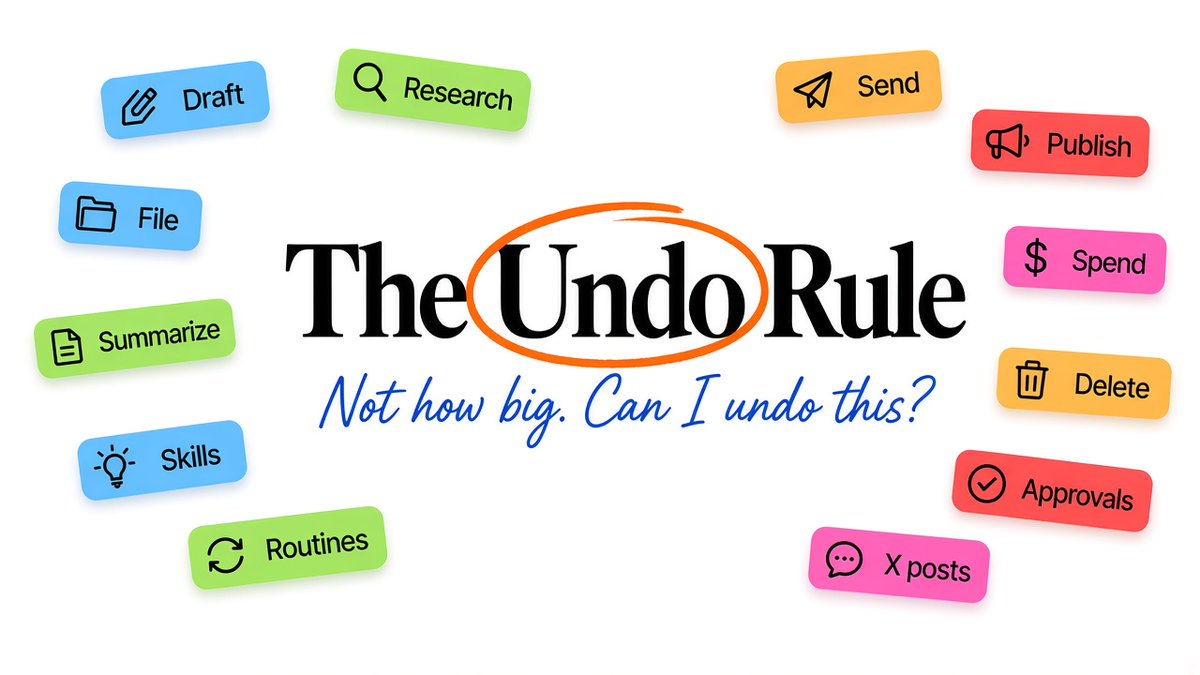
The line isn't "how big is the task." It's "can I undo this."
Drafting, researching, filing, tagging, summarizing: all reversible, all fine to finish alone. Anything the outside world sees, anything that moves money, anything you can't take back: it waits for your yes.
Paste a version of this into every bot:
RULES:
- Never send an external message without my approval.
- Never publish, post, or share anything publicly without my yes.
- Never move, transfer, or spend money.
- Never delete anything permanently.
- For everything else: finish it and report back with proof
  (link, log line, screenshot, count in the CSV).
When a bot hits something on that list, it parks the work, pings you, and waits. You read the draft, say yes or fix it, and it carries on.
The "report back with proof" line matters more than it looks. "Done!" tells you nothing. A link or a row count tells you it actually happened.
Same idea for logins. The bot reaches the sign-in screen and hands it to you. You type the password. It never sees it. Keep it that way.
When to skip it
I'll be straight about this.
Skip it if your work is mostly one-offs. A bot earns its place on loops that repeat weekly and have a clear "done." For a task you'll do once, a normal chat is fine.
Skip it if you need to pin the exact model on every call. Grok Bot picks for you. Fine for most people. Not fine if compliance needs a fixed model.
Skip it if you hate beta software. This stuff moves fast and things break. Some days a site changes and a browser flow needs a nudge. The upside is real. So is the rough edge.
The right person has recurring work, not enough hours, and outputs clear enough that a bot can tell when it's finished. If that's you, two weeks of real tasks will tell you more than any launch thread.
What to do this week
Pick one loop you already do every week. Build one bot for it, with a job-title name and the undo rule pasted in. Run it for a week. If it saves you time, add a second bot and a lead.
Grok Bot isn't a smarter chatbot. It's the boring infrastructure that used to take weeks to wire, handed to you as something you can name and leave running.
The work doesn't get easier. It just stops needing you to sit there and watch it.